What Is the Lekha Odia Typing Test?
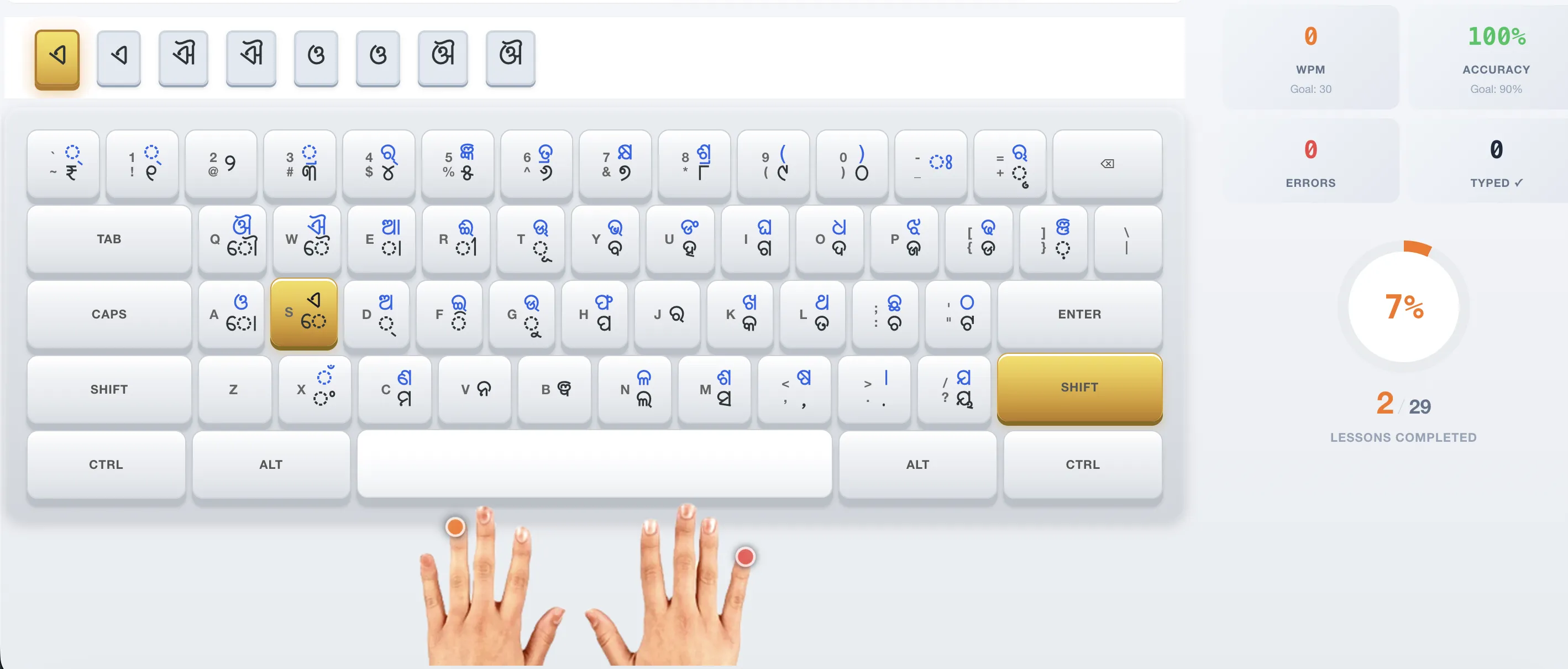
The Lekha Odia typing test is a government typing assessment run by the Government of Odisha, administered through the official portal at lekha.odisha.gov.in, that measures how fast and accurately you can type Odia text using the InScript (BIS IS 16350) keyboard layout. It is required for candidates applying to Odisha government posts such as OSSC Junior Grade Typist (16 WPM in Odia) and OSSSC Junior Assistant (20 WPM in Odia), and it is scored by counting correctly typed words within a time limit.
This guide is an independent practice resource — it is not the official Lekha portal. Use the free InScript practice mode on OdiaTyping.co.in to prepare before you book your official exam.
Lekha Odia Typing Guide 2026 — Official Portal vs. This Guide
This guide helps you understand and prepare for the Lekha Odia typing programme (lekha.odisha.gov.in) run by the Government of Odisha. It is an independent practice resource — the official portal handles registration, course enrolment, and certification.
To log in or register for the official Lekha Odia course, go directly to lekha.odisha.gov.in. This guide covers the course structure, login steps, and offers a free online typing practice tool you can use before you start.
What Is the Lekha Odia Programme?
Lekha Odia is the Government of Odisha's official Odia typing training programme, administered through the Odia Virtual Academy. It teaches the InScript (BIS IS 16350) keyboard layout and is required preparation for many Odisha government typing exams, including OSSC and OSSSC.
The programme is delivered through authorised computer training centres across Odisha, with the online portal at lekha.odisha.gov.in managing enrolment, progress, and certification.
How to Log In to LekhaOdia (Step-by-Step)
Visit lekha.odisha.gov.in and select the login option. Enter the credentials provided by your authorised training centre. If you do not have credentials, you may need to register through an authorised computer training centre before you can access the course.
If the portal is slow during peak hours or you cannot log in, clear your browser cache, try an updated Chrome or Firefox browser, and re-check your credentials. For account issues, contact the official Lekha Odia support team through the portal.
Practice Odia Typing Free Before You Start
You do not need to wait for your Lekha Odia login to start typing practice. Our free online tool at OdiaTyping.co.in uses the same InScript (BIS IS 16350) keyboard layout as the official programme, with exam-style passages and live WPM tracking — no signup needed.
Start with a few 15-minute sessions daily. Build accuracy first, then speed. This practice directly prepares you for the typing tests you will face in OSSC and OSSSC exams.
Frequently Asked Questions
Is Lekha the same as the actual OSSC exam?
The Lekha platform uses the same InScript layout and similar interface to official exams. Practicing on Lekha is excellent preparation for the real test.